
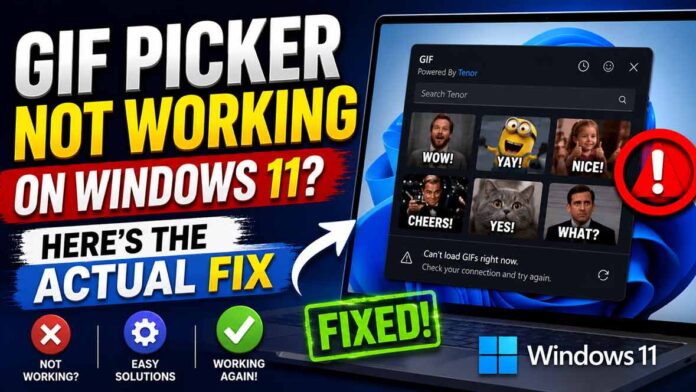
You press Windows key + period. The emoji panel pops open like it always does. You click the GIF tab, type “excited cat,” and wait.
Instead of cats, you get a flat little message: “GIF service is not available.”
You didn’t break anything. Restarting your PC for the third time won’t fix it either. And no, you don’t need to reinstall Windows.
There’s a real, documented reason the Windows 11 GIF picker stopped working, and it has almost nothing to do with anything you did.
Quick answer: Google shut down the old Tenor GIF API on June 30, 2026, and Windows 11 relied on that API for its GIF picker. Microsoft already fixed this by switching to GIPHY. Install the June 23, 2026 update (KB5095093 for 24H2/25H2, KB5095091 for 26H1) or the July 14, 2026 Patch Tuesday update, and the GIF tab starts working again on its own.
Table of Contents
What the Windows 11 GIF Picker Actually Does
Windows 11 hides a small but handy tool behind one shortcut: Windows key + period, or Windows key + semicolon. Either combination opens the emoji panel, which includes four tabs: Emoji, Kaomoji, Symbols, and GIFs.
People use this panel inside Teams, Outlook, WhatsApp Web, and pretty much any app with a text box, since it works system-wide instead of living inside one specific program.
That GIF tab doesn’t store animations on your hard drive. It fetches them live from an outside service over the internet, the same way a search bar pulls results from a search engine.
This one detail explains the entire mess.
The Real Reason Your GIF Picker Broke
Here’s the part most “fix it” articles skip: Microsoft didn’t break the GIF picker. Google did, sort of, and not even on purpose.
Windows 11 sourced its GIFs from Tenor, a GIF search engine owned by Google. On June 30, 2026, Google retired the older Tenor API that Windows relied on for that GIF tab. Once the API went dark, Windows had nowhere left to fetch GIFs from, so it displayed the “GIF service is not available” error instead.
Microsoft confirmed this directly on its Windows release health dashboard, explaining that the previous GIF provider retired its service that same day. So if your PC greeted you with that error sometime after June 30, you weren’t imagining a bug. You watched a third-party shutdown ripple straight into your desktop.
There’s something almost funny about it. A feature that feels baked into Windows was actually borrowing someone else’s server the whole time. Your operating system turned out to be just as dependent on outside help as the rest of us.
Google didn’t pull this API on a whim, either. The company had been narrowing outside access to Tenor for a while, and it announced the final cutoff for external developers more than a year in advance. That gave Microsoft plenty of runway to line up a replacement before the lights actually went out.
The Actual Fix (Not Guesswork)
Microsoft saw this coming and prepared a replacement before Tenor’s shutdown even happened. The company switched the GIF picker’s backend from Tenor to GIPHY, another major GIF library that Shutterstock now owns.
Reviving the old Tenor connection was never really an option, since that decision belonged to Google, not Microsoft. Swapping providers was the one fix that didn’t depend on someone else changing their mind.
The fix itself arrives through Windows Update. Not a hidden toggle, not a registry tweak, and definitely not a clean reinstall.
Which update actually fixes it
- Microsoft’s KB5095093 (released June 23, 2026) fixes Windows 11 versions 24H2 and 25H2.
- Microsoft’s KB5095091 (also released June 23, 2026) fixes Windows 11 version 26H1.
- Everyone else on standard updates gets the same GIPHY switch automatically, since Microsoft folded it into the July 14, 2026 Patch Tuesday cumulative update alongside unrelated fixes, including a new Point-in-Time Restore feature and a Recycle Bin filename bug. A fully updated PC already has this fix installed.
How to install it
- Open Settings, then go to Windows Update.
- Click “Check for updates.”
- Install anything Windows offers, then restart your PC.
- Turn on “Get the latest updates as soon as they’re available” under Windows Update, then Advanced options. This helps future fixes like this one reach you faster.
That covers the whole fix – no sacrifices to the Blue Screen gods required.
(Also See: Windows 12 Brand Ambassador Leak. Latest Microsoft Rumor!)
Still Broken? Try These Before You Panic
A few specific situations need a slightly different approach.
You can’t update right now.
Waiting on IT approval, a slow connection, or just a bad time to restart? You can still send GIFs the old-fashioned way. Open giphy.com or tenor.com in your browser, find the GIF you want, then copy and paste it straight into your chat. It’s clunkier than the built-in picker, but it works everywhere in the meantime.
You’re running Windows 11 23H2 or Windows Server 2025
Microsoft’s own release health page confirms these versions still lack an official fix, and the company hasn’t shared a firm release date yet. Upgrading to Windows 11 24H2 or later remains the fastest route to a working GIF picker.
You’re on a work or school PC
Company IT policies sometimes restrict which websites Windows can reach. If your update installed fine but GIFs still fail, ask your IT team to allow GIPHY’s domains, since older firewall rules may only allow Tenor’s addresses.
The update installed, but GIFs still won’t load
Work through these steps, easiest first:
- Restart your PC. This step actually matters here, since it clears cached network sessions left over from the update.
- Open Command Prompt as an administrator and run ipconfig /flushdns, then netsh winsock reset, then restart once more.
- Test the GIF picker under a different Windows user account. If it works there, the glitch lives in your user profile, not in Windows itself.
How to Avoid This Next Time
The bigger lesson here has nothing to do with cat GIFs. Even features that feel completely built into your desktop now quietly depend on outside servers you’ve never heard of, right up until one of them disappears.
You can’t predict when a company retires an API. You can control how fast your PC reacts to the fallout.
Keep automatic updates switched on, and check Windows Update every couple of weeks even when nothing looks broken. It’s a boring habit, but it saves you from confusing “why is this suddenly broken” moments down the road.
If you want to spot issues like this before they show up as a mystery error, bookmark Microsoft’s Windows release health dashboard. It lists every known issue by Windows version, along with the exact update number that resolves it, straight from the source instead of a forum guess.
The Bottom Line
Your GIF picker isn’t cursed, and neither is your PC. Google retired an old API, Windows lost its GIF source overnight, and Microsoft patched around it with a new provider. Install your Windows updates, and your emoji panel goes back to normal, cat GIFs and all.
Frequently Asked Questions
Is the Windows 11 GIF picker broken for everyone?
No. The problem only affects Windows 11 24H2, 25H2, and 26H1 devices that haven’t installed the June or July 2026 cumulative updates. Fully updated PCs already show GIFs from GIPHY.
Why did Windows switch from Tenor to GIPHY?
Google retired the older Tenor API that powered the emoji panel’s GIF search. Microsoft chose GIPHY as the replacement to keep the feature running for everyone.
Will I lose saved GIFs or search history?
No. The provider switch only changes where GIFs come from. It doesn’t touch anything already saved on your device.
Does this issue affect Windows 10?
No. Mainstream support for Windows 10 ended on October 14, 2025, and this specific GIF provider switch applies only to Windows 11’s emoji panel.
Is this a security issue?
No. Microsoft and multiple independent reports describe a feature outage triggered by a third-party API retirement, not a vulnerability or a security flaw.
How do I know if my PC already has the fix?
Open the GIF tab and search for anything. Loading results mean you already have the update. The “GIF service is not available” message means Windows Update still has a pending install waiting for you.